Disclosure: This is a sponsored post in partnership with Roamic. LakbayPinas keeps full editorial control, and all opinions belong to the LakbayPinas editorial team.
Every Filipino traveler flying out of NAIA faces the same question: turn on Globe or Smart roaming, buy a SIM at the airport, or get a travel eSIM before leaving? The wrong choice can cost thousands of pesos, or leave a traveler without Google Maps at a train station in Osaka.
This Roamic eSIM review covers everything Filipino travelers need to know before buying: who is behind Roamic, how much the plans cost in pesos, how the “unlimited” data really works, which countries it covers, and how to keep a Philippine number active for bank OTPs while abroad.
Roamic eSIM review: what is the quick verdict?
Roamic is a data-only travel eSIM from Barcelona-based ByteTravel, with plans starting at about €1 (around ₱60), unlimited plans that give 3GB of full-speed data per day, free hotspot use, and a full refund on unactivated eSIMs within six months of purchase. It is a strong pick for short trips to Japan, South Korea, Taiwan, China and Southeast Asia. It is not the right choice for anyone who needs a local phone number for calls or SMS.
Feature | Roamic eSIM |
|---|---|
Parent company | ByteTravel S.A. (Spain) |
Coverage | 190+ countries and regions |
Starting price | About €1 (South Korea, 1GB) |
Unlimited plans | 3GB/day full speed, then 1 Mbps |
Network speed | Up to 5G where available |
Hotspot | Allowed |
Number, calls, SMS | None (data only) |
Validity starts | First connection at destination |
Refund | Full refund if not activated, within 6 months |
Payment | Cards, Apple Pay, Google Pay |
Table of Contents

What is Roamic eSIM and who runs it?
Roamic is the eSIM brand of ByteTravel S.A., a travel technology company founded in 2021 and headquartered in Sant Cugat del Vallès, Barcelona, Spain. Roamic launched in 2024 and sits beside sister brands that cover other parts of a trip: Visagov for electronic visas, Globely for travel insurance, and an airport lounge booking service.
The official store is roamic.com. Be careful not to confuse it with similarly named eSIM brands such as Roamless, Roamify or Roamly. They are separate companies with different plans and policies.
Is Roamic eSIM legit?
Yes. Roamic is legit, and it is backed by a publicly listed company. This matters because the eSIM market is full of pop-up resellers that disappear after a few months. Here is why Roamic stands apart:
- Stock market listing: ByteTravel debuted on BME Scaleup in July 2024 and moved to Spain’s BME Growth market on July 3, 2026, under the ticker BYTE. Listed companies must publish regular financial reports.
- Real revenue: ByteTravel reported €19.4 million in net sales for 2025, up 74% from 2024, and carries no bank debt.
- Industry recognition: The company appeared on the Financial Times FT1000 list of Europe’s fastest-growing companies in 2025.
- Strong customer rating: As of October 2026, Roamic holds a 4.7 out of 5 TrustScore on Trustpilot from more than 22,000 reviews, with 83% of reviewers giving five stars.
Roamic invites customers to leave Trustpilot reviews, which is common in the industry. Recurring praise covers easy online purchase, quick activation on arrival and good value for money. The most common complaints are weak signal or coverage gaps in some destinations and occasional dropped connections.
How much does Roamic eSIM cost in 2026?
Roamic prices its plans in euros. Most single-country plans cost between €1 and €35, depending on data and validity. Fixed-data plans typically come in 1GB, 3GB, 5GB, 10GB, 20GB and 50GB sizes, with validity of 7 to 30 days. Peso amounts below use a rate of about ₱62 per euro, so the final charge on your card will move a little with the exchange rate.
Here is the Japan plan lineup, since Japan is one of the most popular destinations for Filipino travelers:
Plan | Price (EUR) | Approx. (PHP) |
|---|---|---|
1GB / 7 days | €1.99 | ₱123 |
3GB / 15 days | €2.99 | ₱185 |
5GB / 21 days | €4.99 | ₱309 |
10GB / 30 days | €8.99 | ₱557 |
Unlimited / 5 days | €13.99 | ₱867 |
20GB / 30 days | €14.99 | ₱929 |
50GB / 30 days | €34.99 | ₱2,169 |
Other entry prices worth knowing:
- South Korea: from about €1 for 1GB/7 days
- China: from €1.99, on the China Mobile network
- Roamic eSIM Philippines: runs on Globe and Smart, with 5GB for 21 days at €7.99 (about ₱495)
- Asia regional (12 destinations): from €6.99 for 1GB/7 days (about ₱433) up to €64.99 for 20GB/30 days (about ₱4,029)
- Middle East regional (11 destinations): fixed plans of 1GB/7 days, 3GB/14 days and 5GB/21 days
You can pay by credit or debit card, Apple Pay or Google Pay.
How does Roamic’s unlimited data plan work?
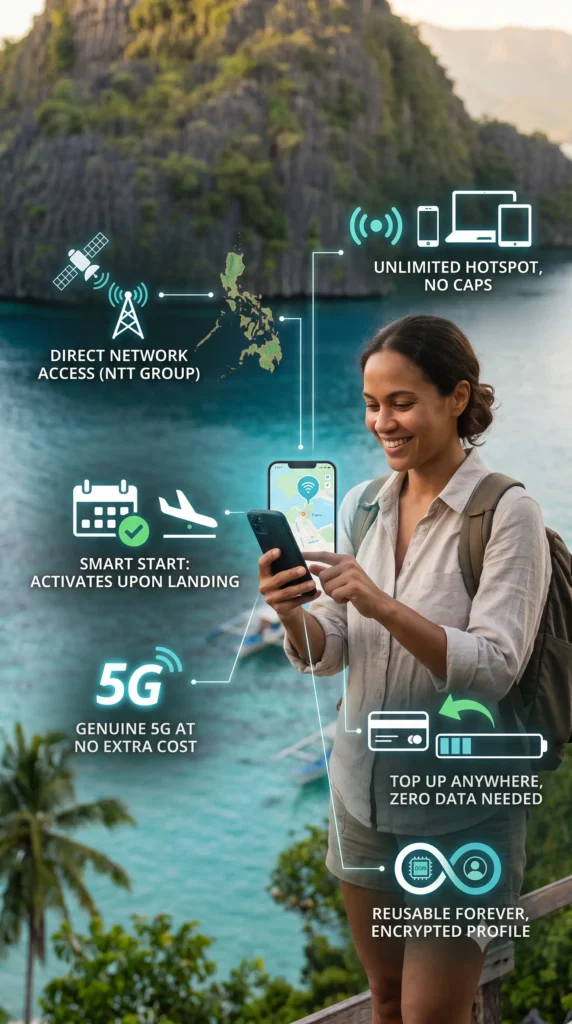
On most destinations, Roamic’s unlimited plans give you 3GB of high-speed data every 24 hours. Once you use that up, your connection stays on but slows to 1 Mbps until the allowance resets the next day. The exact daily allowance can vary by country, so check the plan details at checkout. Unlimited plans are priced by the exact number of days you need, from 1 to 30 days, but not every region offers them: the Middle East plan, for example, is fixed-data only.
What does 1 Mbps feel like in real life? It is enough for:
- Messaging on WhatsApp, Viber, Messenger and Telegram
- Loading Google Maps for navigation
- Booking a Grab or Uber ride
- Checking email and reading text-heavy pages
It is not enough for video calls, HD streaming on YouTube or Netflix, or uploading large photo and video files. Travelers who post Reels or vlogs daily are better off doing heavy uploads over hotel Wi-Fi and saving the 3GB for navigation and social media browsing.
All Roamic plans also include 5G access where the local partner network supports it and your phone is 5G-capable, plus hotspot and tethering at no extra cost. That is handy if you travel with a laptop, a tablet or a travel buddy whose phone has no eSIM.

Which countries does Roamic eSIM cover?
Roamic offers coverage in more than 190 countries and regions through single-country, regional and global plans. For Filipino travelers, these are the destinations that matter most:
Destination | Networks and notes |
|---|---|
Japan | docomo, au, SoftBank, Rakuten |
South Korea | Plans from about €1 |
China | China Mobile; no VPN needed |
Taiwan, Vietnam | Single-country and Asia plans |
HK, SG, TH, MY | Single-country and Asia plans |
Philippines | Globe, Smart; 5GB/21 days at €7.99 |
The China plan deserves a special mention. It runs on China Mobile and routes data outside mainland China, so Google Maps, Gmail, Facebook, Instagram and WhatsApp work without a separate VPN app. This only applies to mobile data: hotel and cafe Wi-Fi in China is still filtered.
What does the Roamic Asia regional plan cover?
The Asia regional eSIM covers 12 destinations on one profile: mainland China, Hong Kong, Macau, Japan, South Korea, Taiwan, Cambodia, Indonesia, Malaysia, Singapore, Thailand and Vietnam. It suits multi-country trips such as a Bangkok to Ho Chi Minh backpacking route, since there is no need to install a new eSIM at every border. The Philippines is not part of the Asia regional plan.
What does the Roamic Middle East plan cover?
The Middle East regional plan covers 11 destinations: the United Arab Emirates, Saudi Arabia, Qatar, Kuwait, Bahrain, Oman, Jordan, Israel, Turkey, Azerbaijan and Armenia. It comes in fixed sizes of 1GB/7 days, 3GB/14 days and 5GB/21 days, which suits short visits and layovers. OFWs on long contracts are usually better served by a local SIM with a phone number.

Will Roamic eSIM work on my phone?
Roamic works on any carrier-unlocked phone with built-in eSIM support. That includes iPhone XS and newer, Google Pixel 3 and newer, Samsung Galaxy S20 and newer, and many recent Motorola and OnePlus phones.
Two things to watch out for:
- Locked phones: If your phone is locked to a Philippine postpaid plan, it will not accept a second eSIM profile. Ask your telco to unlock it before your trip.
- China-market phones: Units made for mainland China often have no eSIM hardware at all, so they cannot use any travel eSIM.
Quick check: Dial *#06# on your phone. If you see a 32-digit EID number along with your IMEI, your phone supports eSIM.
How do you install and activate Roamic eSIM?
Install Roamic at home over Wi-Fi before your flight. The validity countdown only starts when the eSIM first connects to a network at your destination, so installing early does not waste any days. Here is the process:
- Buy your plan on roamic.com and choose the destination, data size and number of days.
- Install from the email. Roamic sends an install link and a QR code by email. On a supported iPhone or Android phone, tapping the link opens eSIM setup directly, so there is no need to scan a QR code from a second screen. Manual entry codes are included too.
- Label the line as “Roamic” or “Travel” in your phone settings so you do not mix it up with your Globe or Smart SIM.
- Leave the eSIM off until you land. Once you arrive, switch on the Roamic line, set it as your mobile data line, and turn on Data Roaming for the eSIM.
- Track usage and top up through My Ozu, ByteTravel’s web dashboard, since Roamic has no separate mobile app.
How do you keep your Globe or Smart number for OTPs while using Roamic?
Keep your Philippine SIM switched on for calls and SMS, but turn off its Data Roaming before your plane takes off. This setup matters for Filipino travelers, since many still rely on SMS OTPs for GCash, Maya and bank apps while abroad. Receiving SMS while roaming is generally free on Globe and Smart.
Follow this checklist:
- Before departure: On your Globe or Smart line, turn Data Roaming OFF. Leave the line itself ON.
- After landing: Turn on the Roamic eSIM line, set it as the default mobile data line, and switch Data Roaming ON for the Roamic line only.
- Disable data switching: Turn off features like “Allow Cellular Data Switching” (iPhone) or automatic data switching (Android) so your phone does not quietly fall back to your Philippine SIM.
No connection after landing? Check that Roamic is selected as your mobile data line, confirm Data Roaming is on for the eSIM (it is off by default on most phones), then toggle Airplane Mode on and off to force a fresh connection to the local network.
Roamic vs Globe and Smart roaming: which is cheaper?
For most trips, Roamic costs a fraction of Philippine telco roaming. Here is how Roamic’s Japan plans compare with Globe’s roaming promos:
Japan trip | Roamic | Globe roaming |
|---|---|---|
5 days, unlimited | ₱867 | ₱1,995 |
5 days, 5GB or more | ₱557 (10GB) | ₱1,599 (5GB) |
30 days, 20GB | ₱929 | ₱5,999 |
Roamic figures: Japan unlimited for 5 days at €13.99, 10GB/30 days at €8.99 and 20GB/30 days at €14.99. Globe figures: Roam Surf 399 (a postpaid 24-hour pass) used for 5 days, Roam Surf 1599 (5GB for 5 days) and Roam Surf 5999 (20GB for 30 days).
On a five-day Japan trip, choosing Roamic over Globe roaming saves more than ₱1,000, enough for a few bowls of ramen and a Suica card top-up.
What about airport SIMs? If you are staying in one country for a longer trip and do not mind queuing at a kiosk on arrival, a local physical SIM can give you more gigabytes per peso. Roamic wins on convenience: you land already connected, you do not need to swap SIM trays, and you keep your Philippine SIM in place for OTPs.

How good is Roamic customer support and refund policy?
Roamic offers support through WhatsApp, live chat, email at info@roamic.com and a phone line in Spain. Customers often mention quick help with setup problems such as activation issues after landing, and Roamic replies to 99% of negative reviews on Trustpilot.
The refund policy covers three situations:
- Change of plans: If the eSIM is not activated yet, you can get a full refund within 180 days (6 months) of purchase, as long as you bought it on roamic.com. That is useful insurance if a flight gets cancelled or a trip is moved.
- Incompatible or locked phone: A full refund is also available within 6 months if the eSIM turns out not to work on your device.
- Connection problems: If the eSIM fails because of a Roamic or local network issue, Roamic can give a full or partial refund. Contact support during the trip, since refunds requested after you get home are not guaranteed.
Tip: Buy the size you actually need rather than the biggest plan. If connection problems come up, contact support right away with screenshots of the signal and a speed test, since clear evidence makes any support conversation smoother.
What are the pros and cons of Roamic eSIM?
Pros
- Very low entry prices, from about €1 for South Korea and €1.99 for Japan
- Clear unlimited policy: 3GB/day at full speed, then 1 Mbps
- Hotspot and tethering allowed
- 5G access where available
- Validity starts only when you connect at your destination
- Full refund on unactivated eSIMs within six months
- Refund options for connection problems reported during the trip
- China plan works with Google, Facebook and WhatsApp without a VPN
- Backed by a publicly listed company with a 4.7 Trustpilot rating
Cons
- Data only: no local phone number, no regular calls, no SMS
- 1 Mbps after the daily cap is too slow for video calls or streaming
- Unlimited plans are not offered in every region, such as the Middle East
- The Asia regional plan does not include the Philippines
- Prices are in euros, so your peso cost shifts with the exchange rate
- No dedicated mobile app; account tools run through the web-based My Ozu dashboard
Who should use Roamic eSIM, and who should skip it?
Roamic is a great fit for:
- Short-trip travelers heading to Japan, South Korea, Taiwan, Hong Kong or Singapore for 3 to 7 days
- Multi-country backpackers crossing Southeast Asia who want one profile for the whole route
- Early planners who book months ahead and want the six-month refund safety net
- Remote workers and content creators who need hotspot for a laptop on the go
- Travelers to mainland China who want their usual apps without a VPN
Consider another option if you:
- Need a local number to call hotels, restaurants or local offices
- Stream video or upload large files all day on mobile data
- Are staying a month or longer in one country, where a local SIM may give more data per peso
Final verdict: is Roamic eSIM worth it?
Yes, Roamic eSIM is worth it for most Filipino travelers taking short to medium trips around Asia. It is far cheaper than Globe roaming, the unlimited plan rules are clear, and the six-month refund on unused eSIMs takes the risk out of buying early. Pair it with your Philippine SIM for OTPs, and you get the best of both: cheap data abroad and access to your banking apps.
If your next trip is to Japan, Korea, Taiwan, Vietnam or anywhere in Asia, check Roamic’s plans here and install your eSIM before you leave home.
Frequently asked questions about Roamic eSIM
Is Roamic eSIM legit and safe to use?
Yes. Roamic is run by ByteTravel S.A., a Spanish travel tech company listed on the BME Growth market under the ticker BYTE. It holds a 4.7 out of 5 Trustpilot rating from more than 22,000 reviews as of October 2026.
Does Roamic eSIM come with a phone number?
No. All Roamic plans are data only, with no local number, calls or SMS. Use WhatsApp, Viber, Messenger or FaceTime for calls, and keep your Philippine SIM active to receive SMS OTPs.
When does my Roamic plan validity start?
The countdown starts when your eSIM first connects to a supported network at your destination, not when you buy or install it. You can safely install it at home days or weeks before your flight.
Can I use Roamic eSIM as a hotspot?
Yes. Hotspot and tethering are allowed on all Roamic plans, so you can share your connection with a laptop, tablet or a travel companion.
Does Roamic eSIM work in China without a VPN?
Yes. The Roamic China plan routes data outside mainland China, so Google, Facebook, Instagram and WhatsApp work without installing a separate VPN.