Introduction
If you have ever landed at NAIA Terminal 3 during peak season, you know the drill: the humidity hits you first, followed by the overwhelming chaos of the arrival hall. But the real headache often begins at the connectivity kiosks. Long lines snake around the pillars as tourists wait to overpay for a physical SIM card, only to find out their phone is locked or the activation process takes an hour.
For years, travelers to the Philippines had limited choices: buy a local SIM (cheap but inconvenient), pay exorbitant roaming fees, or rely on spotty hotel WiFi. Enter the eSIM revolution. Digital nomads and frequent flyers have started shifting to providers like Airalo and Holafly. However, for those of us who travel in barkadas (groups) or carry multiple devices, these major players have a fatal flaw: they often block or severely throttle hotspotting on their unlimited plans.
This is where ByteSIM enters the chat.
After testing various connectivity options across the archipelago—from the high-rise concrete jungle of BGC to the remote trails of the Cordilleras—I have found a contender that might just be the new king of Philippine travel data. In this comprehensive ByteSIM review, I will break down why this provider is catching the attention of serious travelers.
My thesis is simple: If you are visiting the Philippines and need reliable data that you can actually share with your friends or laptop, ByteSIM is currently your best option. It solves the two biggest pain points of Philippine travel: dead spots (by using multiple networks) and the inability to work remotely on “unlimited” plans. Let’s dive into the details.
Table of Contents
What is ByteSIM?
For those new to the technology, let’s quickly clarify what we are dealing with. ByteSIM is a specialized provider of eSIMs (Embedded SIMs). Unlike the tiny plastic card you have to poke out of your phone with a paperclip, an eSIM is a digital profile that you download directly to your device’s motherboard.
ByteSIM operates out of Hong Kong but provides connectivity in over 200 countries and regions globally. While they may not have the massive marketing budget of their competitors yet, they have built a reputation for high-performance “Travel Data Plans” that focus on unrestricted internet access.
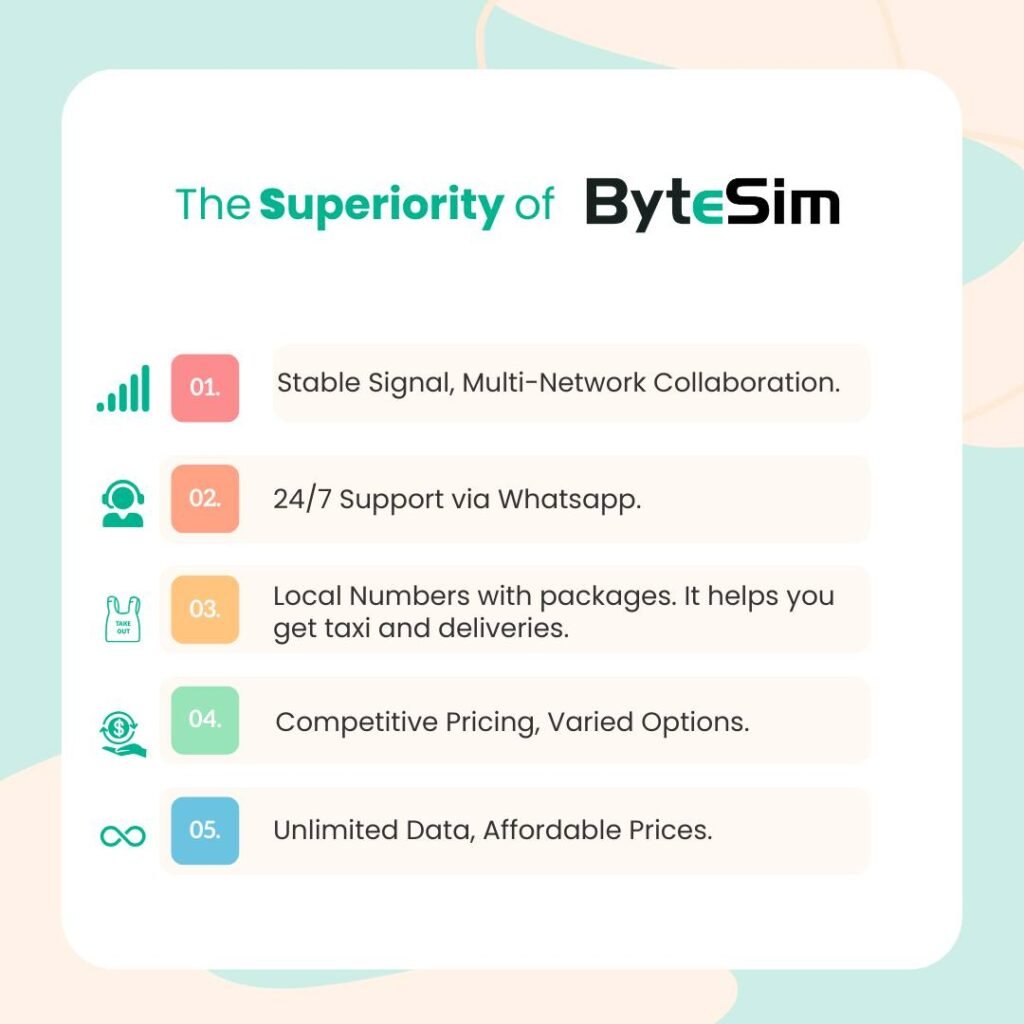
But is it legit? Yes. In my research for this ByteSIM review, I scrutinized their operational history. They offer 24/7 customer support via WhatsApp (a crucial feature for travelers in different time zones) and maintain a strong standing on Trustpilot. They aren’t just reselling cheap bandwidth; they are partnering with top-tier local telecommunications providers to ensure low latency and high speeds.
Essentially, ByteSIM allows you to land in Manila, Cebu, or Clark, turn on your phone, and instantly connect to the internet without ever speaking to a kiosk agent.
The “Killer Feature”: Why the Unlimited Hotspot Matters
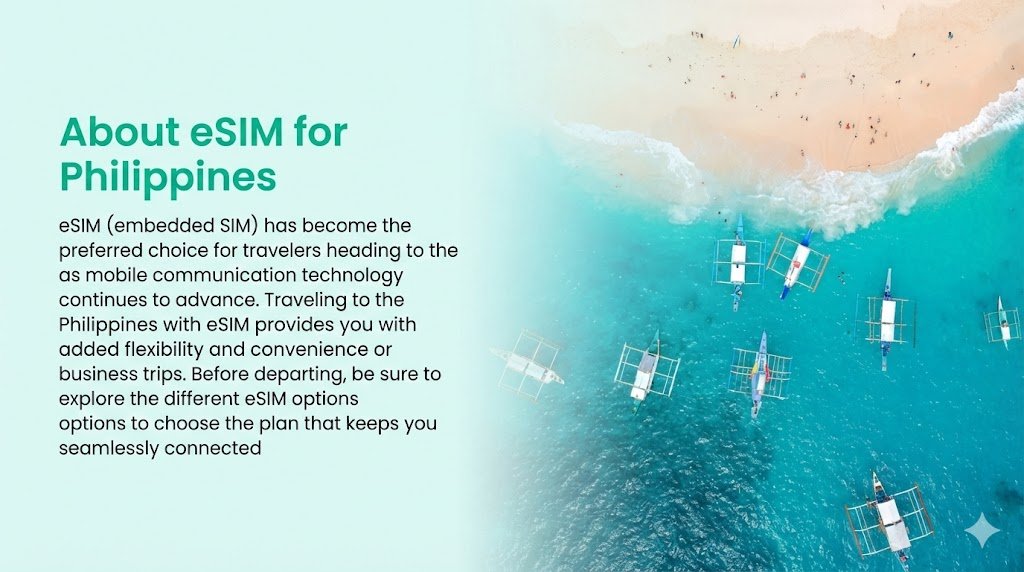
This section is the most important part of this review, especially if you are traveling with family or friends.
If you look at the fine print of popular unlimited hotspot eSIM competitors like Holafly, you will often find a frustrating restriction: Hotspotting is blocked. This means if you buy an unlimited data plan for your iPhone, you cannot share that internet with your laptop to send an email, nor can you let your friend connect to check Google Maps. You are trapped in a “smartphone-only” bubble.
ByteSIM changes the game by allowing Hotspot/Tethering on their unlimited plans.
The “Barkada” Advantage
In Filipino travel culture, we rarely travel alone. We travel in barkadas.
Imagine you are on a van transfer to El Nido, Palawan. The trip takes 5 to 6 hours. With ByteSIM, one person can purchase the Unlimited Data plan and act as the “WiFi Router” for the van. Your friends can connect to your phone to upload their Instagram Stories or chat on Messenger. This “shareable data” feature effectively slashes your travel costs, as you don’t need to buy a separate SIM for every single person in the group.
The Digital Nomad Advantage
As a travel blogger and editor, I cannot rely on coffee shop WiFi. It is often unsecured and slow. Whether I am drafting a guide in a cafe in Siargao or editing photos on a ferry to Bohol, I need to connect my MacBook to the internet.
During my assessment for this ByteSIM review Philippines guide, I found that the tethering feature works seamlessly. There is no complex setup; you simply toggle “Personal Hotspot” on your phone, and your laptop connects as if it were on home WiFi.
A Note on Fair Usage Policy (FUP)
We must be honest about “Unlimited” data. Like almost all carriers globally, an FUP applies. Usually, this means you get high-speed 4G/5G data up to a certain cap (often 1GB to 3GB per day depending on the specific package), after which speeds may be throttled. However, unlike competitors who cut you off completely, ByteSIM generally keeps you connected at a lower speed, which is still sufficient for maps and messaging.
Coverage & Speed Test: The “Mountaineer” Advantage
The Philippines is an archipelago of 7,000+ islands. Geography is the enemy of signal. A provider might be blazing fast in Makati but dead silent in Sagada. This is why “Single Network” eSIMs are dangerous for adventurers.
The Dual-Network Safety Net
One of the massive advantages I discovered is ByteSIM’s partnership strategy. In the Philippines, they generally connect to BOTH Globe and Smart.
- Smart: Widely considered the fastest mobile data network in the Philippines, with superior coverage in beach destinations like Boracay and Palawan.
- Globe: excellent coverage in urban centers like Manila, Cebu City, and specific mountain regions in Luzon.
When you use a cheap roaming SIM, you are often locked to just one. If that network has a dead spot, you have no signal. With ByteSIM, your phone effectively becomes a “Dual-Signal” device. If you are hiking and Smart loses bars, you can go into your settings and manually switch the network selection to Globe.
The Mountaineer’s Perspective
For my readers who follow our hiking guides (LakbayPinas Mountaineering), this is a safety feature.
Imagine you are traversing the Akiki Trail of Mt. Pulag. Signal is notoriously intermittent. Having access to two networks significantly increases your chances of getting a signal out in an emergency or simply updating your GPS location.
Latency and Speed
In urban tests (Metro Manila), speeds on 5G compatible devices regularly clock between 50 Mbps to 100 Mbps, which is more than enough for streaming Netflix or FaceTiming family back home.
- Ping/Latency: The ping is generally low enough for smooth video calls.
- Stability: During festival season (like Sinulog), local networks get congested. While no SIM is immune to congestion, having the ability to switch networks gives you a tactical advantage over everyone else stuck on a single carrier.
ByteSIM Compatible Phones
Before you purchase, you must ensure your hardware can handle the tech. eSIM technology is standard on most modern flagship phones, but it is always safer to check.
Here is a quick reference list of ByteSIM compatible phones.
Apple Devices
Virtually all iPhones manufactured after 2018 support eSIM:
- iPhone XR, XS, and XS Max
- iPhone 11, 12, 13, 14, 15, and 16 Series (including Pro/Max/Mini)
- iPhone SE (2nd and 3rd Gen)
Samsung Devices
Samsung has been aggressive with eSIM adoption:
- Samsung Galaxy S20, S21, S22, S23, S24 Series
- Samsung Galaxy Note 20 Series
- Samsung Galaxy Z Flip and Z Fold Series (All models)
Google & Others
- Google Pixel 3, 3 XL, 4, 4a, 5, 6, 7, 8 Series
- Huawei P40 and Mate 40 Pro (check specific model)
- Oppo Find X3 Pro and newer
How to Check Your Phone Instantly
If you are unsure, you don’t need to Google your manual.
- Open your phone’s Dialer/Phone App.
- Type *#06#.
- Look for a standard barcode labeled EID.
- If you see an EID number, your phone is eSIM compatible. If you only see IMEI, it likely is not.
Installation & Activation Guide
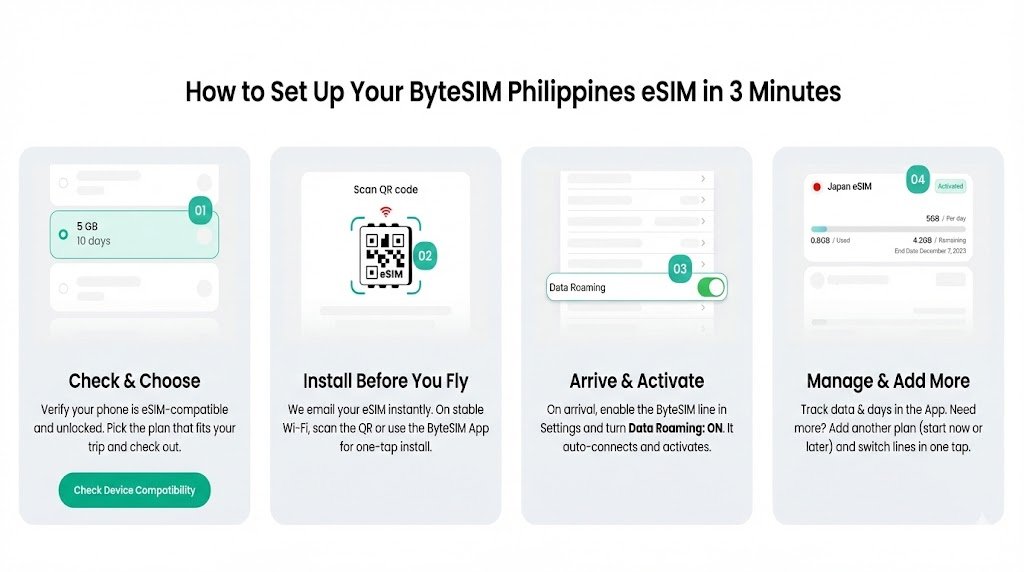
Many travelers are intimidated by the idea of “installing” a SIM card without physically touching it. The process is surprisingly foolproof. Here is how I set it up for this ByteSIM review.
Step 1: Purchase and Receive
Go to the ByteSIM website, select “Philippines,” choose your data package (e.g., Unlimited 10 Days), and pay. Within minutes, you will receive an email containing a QR Code.
Step 2: Scan (Do this BEFORE you fly)
Crucial Tip: You need an internet connection to install an eSIM. Do not wait until you land in the Philippines to do this, because you won’t have internet yet!
- On iPhone: Go to Settings > Cellular > Add eSIM > Use QR Code.
- On Android: Go to Settings > Network & Internet > SIMs > Add More > Download a SIM instead.
Scan the code sent to your email. Your phone will label it (usually “Secondary” or “Travel”).
Step 3: Arrival and Activation
Once your plane touches down at NAIA:
- Go to your settings.
- Turn ON your ByteSIM line.
- IMPORTANT: Toggle “Data Roaming” to ON for the ByteSIM line. (This is the step most people forget).
- The phone will search for a signal (Globe or Smart) and connect automatically.
If it doesn’t connect instantly, toggle “Airplane Mode” on and off to reset the antennas.
Pricing Comparison: Is it Worth It?
Let’s talk numbers. Is ByteSIM the most budget-friendly option? Not necessarily. Local SIMs bought at a 7-Eleven will always be cheaper. But you are paying for convenience and the “Hotspot” capability.
Here is how it stacks up against the competition for a standard 5-Day Unlimited Plan:
Feature | ByteSIM | Holafly | Airalo | Local SIM (Kiosk) |
Data Type | Unlimited | Unlimited | Capped (e.g., 5GB) | Varies |
Hotspot? | YES (Allowed) | NO (Blocked) | YES | YES |
Network | Multi (Globe/Smart) | Multi | Single (Usually Globe) | Single |
Convenience | Instant / Pre-trip | Instant / Pre-trip | Instant / Pre-trip | High Wait Times |
Best For | Groups / Workers | Solo Travelers | Light Users | Budget Backpackers |
The Verdict on Value:
If you are a solo backpacker on a tight budget, a local SIM is fine. But if you are a “Flashpacker,” a digital nomad, or traveling with a group, the few extra dollars for ByteSIM pay for themselves the moment you share your connection with a friend or your laptop. The time saved not queuing at the airport is worth the price of admission alone.
Pros & Cons
To ensure this ByteSIM review Philippines is balanced, here is a summary of what I liked and what could be improved.
Pros
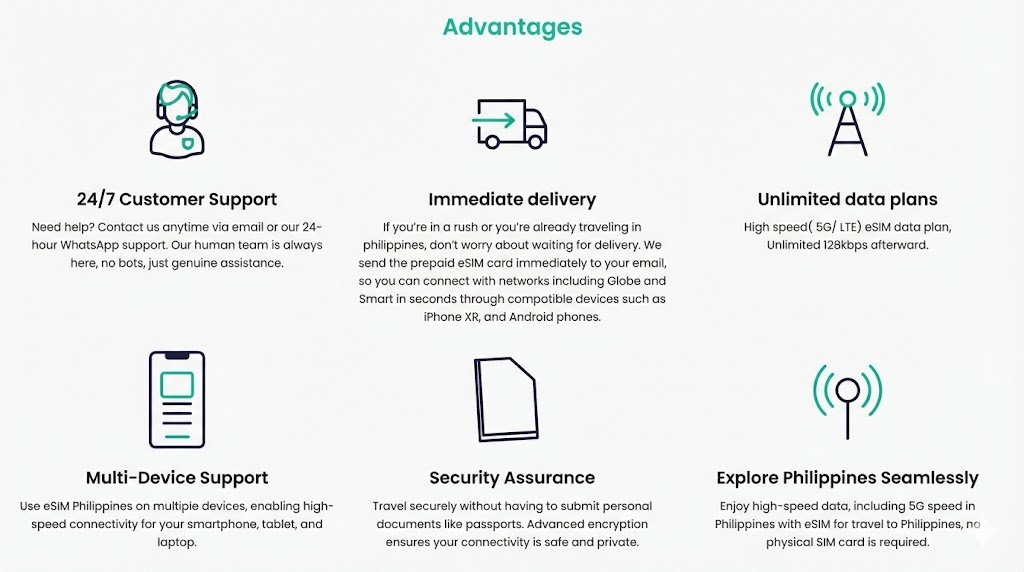
- Hotspot Enabled: The absolute biggest selling point. Being able to share unlimited data is rare in the travel eSIM market.
- Reliable Coverage: Access to both major Philippine networks ensures you rarely hit a total dead zone.
- Instant Delivery: No shipping fees, no waiting for a courier.
- Keep Your Number: Because it’s an eSIM, you can keep your home SIM active to receive OTPs (One-Time Passwords) from your bank while using ByteSIM for data.
Cons
- Data Only: Like most travel eSIMs, ByteSIM does not come with a local Philippine phone number (+63). You cannot make traditional voice calls or send SMS. You will need to rely on WhatsApp, Messenger, or Viber for communication.
- Device Restriction: If you have an older phone (pre-2018), you physically cannot use this service.
FAQ (People Also Ask)
- Does ByteSIM work well in the Philippines?
Yes. ByteSIM provides excellent coverage by partnering with both Globe Telecom and Smart Communications. This dual-network approach ensures 4G/5G connectivity in major cities and most tourist destinations, making it highly reliable for travelers.
- Does ByteSIM allow hotspot on unlimited plans?
Yes! Unlike many competitors that block tethering on unlimited data plans, ByteSIM allows you to use your Personal Hotspot. This is ideal for connecting laptops or sharing data with friends and family during your trip.
- How do I activate my ByteSIM in the Philippines?
After purchasing, scan the QR code sent to your email (do this before your flight). Once you land, turn on the eSIM line in your settings and ensure “Data Roaming” is switched to ON. It will automatically connect to a local network.
- Can I make calls with a ByteSIM eSIM?
No, ByteSIM packages are generally data-only. You will not get a local phone number for standard calls or SMS. However, you can use VoIP apps like WhatsApp, FaceTime, Viber, or Messenger to make calls over the internet.
- Is my phone compatible with ByteSIM?
Most modern flagship phones are compatible. This includes iPhone XR and newer, Samsung Galaxy S20 and newer, and Google Pixel 3 and newer. You can verify this by dialing *#06#—if an EID number appears, your phone is supported.
Verdict
After extensive testing and comparison, my verdict is clear.
If you are a solo traveler who only needs to check maps occasionally, any eSIM will do. However, if you are a digital nomad, a content creator needing to upload 4K video, or a group traveler wanting to split the cost of connectivity, ByteSIM is the superior choice for the Philippines.
The ability to hotspot on an unlimited plan is a feature that cannot be overstated. It gives you the freedom to work from anywhere and keeps your travel companions connected without buying multiple SIM cards. Combined with the safety net of dual-network coverage (Globe and Smart), it is a robust tool for anyone exploring the mountains, beaches, and festivals of the Philippines.
Ready to stay connected?
Don’t let a dead signal ruin your adventure. Check out ByteSIM’s Philippines Plans and secure your connection before you even pack your bags.
Safe travels and see you on the trail!