The Philippines, a breathtaking archipelago of over 7,600 islands, offers some of the most diverse travel experiences in Southeast Asia. From the limestone karst cliffs of El Nido to the surfing capital of Siargao and the bustling, historic streets of Manila, the country is a visual feast. However, for the modern traveler, this fragmented geography presents a unique logistical challenge: maintaining reliable connectivity. Whether moving between cities or heading to remote island destinations, internet access is no longer a luxury—it is the backbone of navigation, bookings, messaging, and safety.
While physical SIM cards are still available at airport kiosks, the landscape of mobile connectivity has shifted dramatically. Travelers are increasingly moving away from the hassle of swapping tiny plastic cards and queuing at crowded counters. Instead, they are turning to eSIM technology—a digital solution that allows for instant activation upon arrival. Leading this shift are comprehensive platforms like eSIM Plus, which have redefined how visitors manage their communications. By offering a seamless blend of data access and virtual phone numbers, services like eSIM Plus allow travelers to bypass the complexities of local carrier registration while ensuring they remain reachable the moment they land.
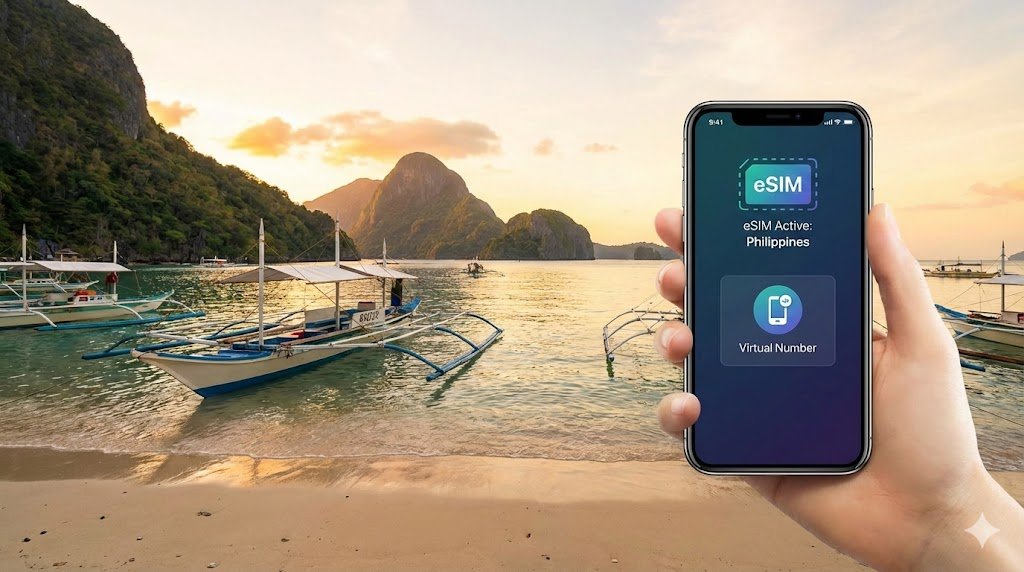
For visitors to the Philippines, platforms such as eSIM Plus often appear as a top recommendation during trip planning because they solve two problems at once: the need for reliable internet and the need for a functioning phone number. Unlike basic data providers, these robust platforms support add-ons like virtual numbers, making them particularly valuable for travelers who need to receive SMS verification codes for local apps or communicate with accommodation hosts. This setup removes the need to visit mobile shops, register a physical SIM with a passport, or manage multiple cards while island-hopping.
Table of Contents
The New Landscape: Why the “Old Way” is Changing
Historically, the first thing a tourist did upon landing in Manila or Cebu was queue at a Globe or Smart kiosk to buy a physical SIM card. While this method still works, two major factors have complicated it:
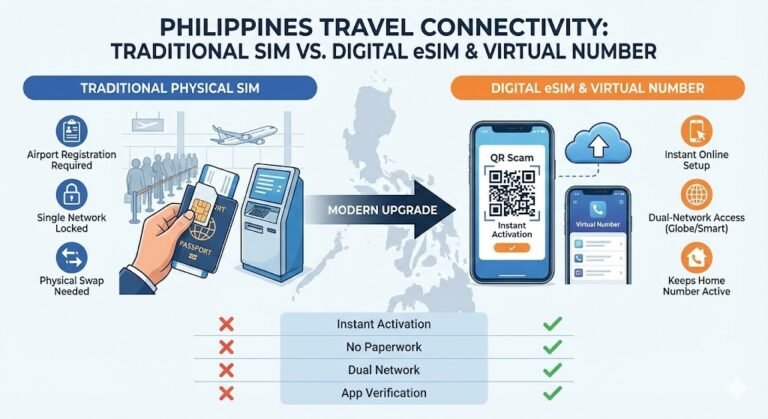
- The SIM Registration Act: In an effort to curb text scams, the Philippine government now mandates that all SIM cards (including those for tourists) be registered with a valid passport, proof of accommodation, and return ticket. This process can be time-consuming and invasive for short-term visitors.
- The Rise of eSIM Technology: Digital SIMs bypass the physical limitations of plastic cards. For travelers, this means you can land in the Philippines with your data already active, skipping the airport queues entirely.
Alongside this shift, virtual phone numbers have emerged as a powerful tool for staying reachable without relying on a traditional local number—a crucial workaround for two-factor authentication (2FA) and local app registrations.
Deep Dive: What is an eSIM?
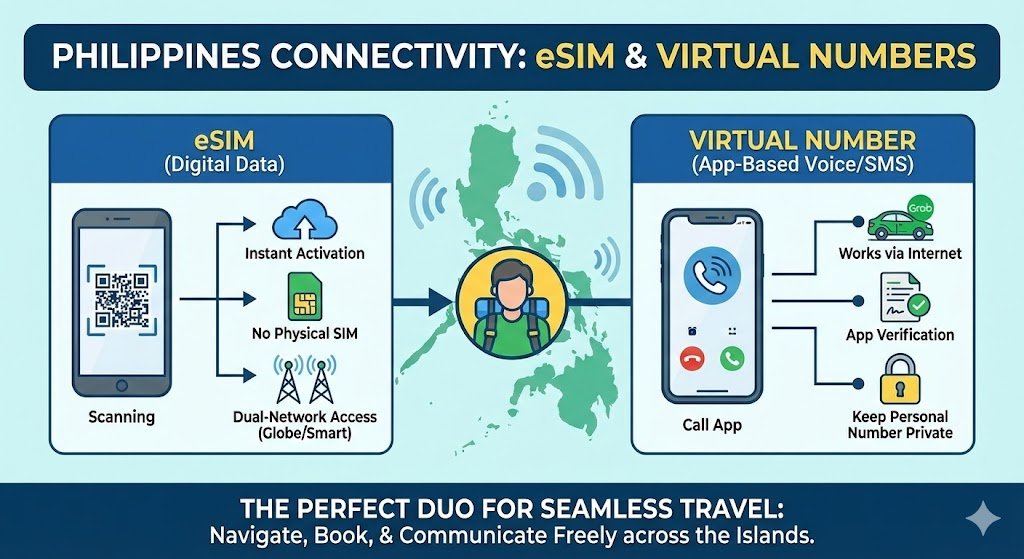
An eSIM (embedded SIM) is a digital SIM standard that allows you to activate a cellular plan from a carrier without having to use a physical nano-SIM. It is a programmable chip built directly into your smartphone (available on iPhone XS and newer, Google Pixel 3 and newer, and most modern Samsung flagships).
How it Works in the Philippines
When you buy an eSIM from a provider like Airalo or Nomad, you are essentially downloading a “profile” to your phone.
- Roaming vs. Local: Most international eSIM providers operate on a roaming basis. This is a significant advantage because it often exempts you from the tedious local SIM registration process required for physical Globe or Smart cards. Your phone “thinks” it is roaming, but you are paying near-local rates.
- Dual SIM Capability: The biggest benefit is keeping your home number active. You can keep your primary SIM (e.g., Verizon, Vodafone) active for receiving bank OTPs or emergency calls from home, while the Philippine eSIM handles all your data traffic.
The Critical Role of Virtual Phone Numbers
While eSIMs solve the data problem, they often lack a voice number. This creates a gap because the Philippines is still a call-centric culture in many service industries.
A virtual phone number bridges this gap. It works through the internet (VoIP) rather than being linked to a physical SIM card.
Why You Need One in the Philippines
- Ride-Hailing Apps (Grab & JoyRide): The Uber equivalent in the Philippines is Grab. While the app uses data, drivers frequently call passengers to confirm pickup locations, especially in confusing spots like airport terminals or busy malls. If you have a data-only eSIM, you cannot receive these calls unless you use the in-app voice feature, which fails if the driver has poor data. A virtual number allows you to receive these calls.
- Food Delivery (Foodpanda & GrabFood): Delivery riders often call when they are at the lobby or lost.
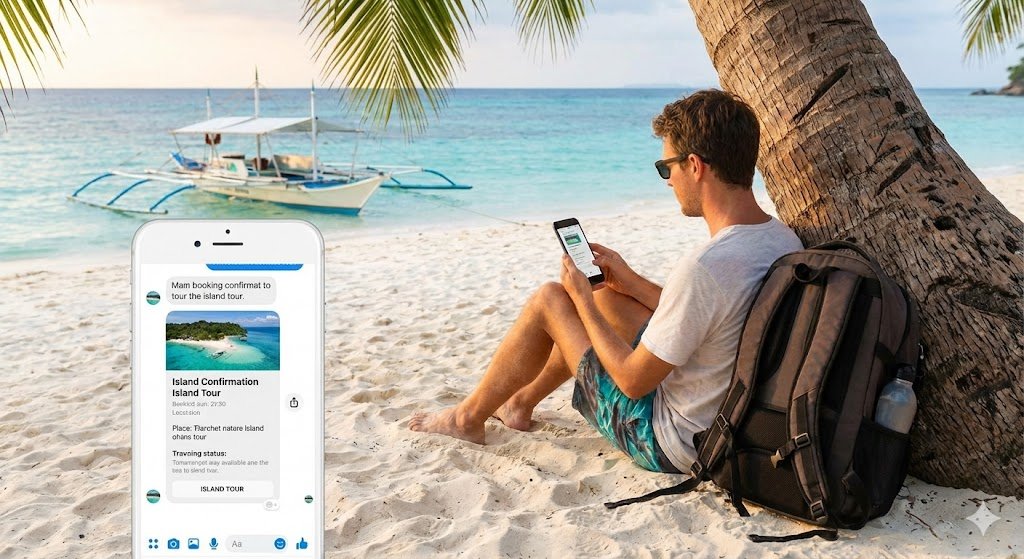
- Accommodation & Tours: Small island guesthouses and tour operators in places like Coron or Bohol may communicate via SMS or standard voice calls rather than WhatsApp.
How It Works
- Digital Existence: The number exists entirely in an app. You can pick a number from the US, UK, or sometimes even the Philippines (depending on the provider).
- Network Independence: Since it relies on the internet, it works whether you are on Wi-Fi in your hotel or using your eSIM data on a boat.
Top eSIM Providers for the Philippines: A Detailed Review
Choosing the right provider is critical. Coverage in the Philippines is a duopoly between Globe Telecom and Smart Communications. Your eSIM experience depends entirely on which of these two networks your provider partners with.
1. eSIM Plus
- Best For: Travelers who need a complete communication suite (Data + Virtual Number).
- The Breakdown: eSIM Plus distinguishes itself by offering both data plans and virtual numbers in a single ecosystem. Unlike competitors that are purely data-focused, eSIM Plus caters to the user who needs to receive SMS verifications or make calls.
- Key Feature: You can rent a virtual number for the duration of your trip. This is invaluable for registering for local accounts that require a “real” mobile number.
2. Airalo (Plan: “Alpas Mobile”)
- Best For: Reliability and broad coverage.
- Network Partners: Globe and Smart.
- The Breakdown: Airalo is a market leader for a reason. In the Philippines, their “Alpas” package is unique because it often allows you to manually switch between Globe and Smart. This is a game-changer. If you are in a spot where Globe has no signal (common in parts of Siargao), you can toggle your settings to Smart, and vice versa.
- Pros: Dual-network access; very user-friendly app.
- Cons: Strictly data-only (no voice/SMS).
3. Nomad
- Best For: Affordable, high-speed data bundles.
- Network Partner: Primarily Globe, sometimes multi-carrier.
- The Breakdown: Nomad offers a sleek interface and very competitive pricing for larger data buckets (e.g., 10GB or 20GB). They are an excellent choice for digital nomads working from cafes in Makati or Cebu IT Park.
- Pros: easy tracking of data usage; often cheaper per GB than Airalo.
- Cons: Sometimes locked to only one network, which can be limiting in rural provinces.
4. Holafly
- Best For: Heavy data users who hate top-ups.
- The Breakdown: Holafly is famous for its “Unlimited Data” plans. If you plan to upload 4K videos to Instagram Stories or watch Netflix on long bus rides, this seems like the best deal.
- The Catch (Fair Use Policy): Be aware of the FUP. While marketed as unlimited, users report throttling (slowed speeds) if you consume excessive data (e.g., over 2-3GB) in a single day. The speed usually resets the next day.
- Network: Usually partners with Smart, which has excellent 5G speeds in urban areas.
5. Ubigi
- Best For: Minimalists and simple setups.
- The Breakdown: Ubigi uses a different technical profile that often results in very stable, low-latency connections. Their app is utilitarian but rock-solid. They are a great backup option if other providers fail.
Comparison: Features at a Glance
Feature | Airalo | Nomad | Holafly | eSIM Plus | Local SIM (Globe/Smart) |
Data Limit | Capped (1GB-20GB) | Capped (1GB-100GB) | Unlimited (w/ FUP) | Capped | Capped/Unli Promos |
Network | Globe & Smart | Globe (mostly) | Smart | Multi-network | Native Network |
Phone Number | No | No | No | Yes (Virtual) | Yes (Physical) |
Registration | Not usually required | Not usually required | Not usually required | Not usually required | Mandatory (Passport) |
Hotspot | Yes | Yes | No/Limited | Yes | Yes |
Best For | General Travel | Budget Data | Heavy Users | All-in-One | Long-term Residents |
Step-by-Step Guide: How to Get Connected
Phase 1: Before You Fly (The Setup)
- Check Compatibility: Ensure your phone is carrier-unlocked. Go to Settings > General > About and look for “Network Provider Lock” (iOS). It must say “No SIM restrictions.”
- Purchase Online: Download your chosen app (e.g., eSIM Plus or Airalo) while you still have fast Wi-Fi at home.
- Install the eSIM:
- Direct Installation: Most apps have a “Install eSIM” button. Click it and follow the prompts.
- QR Code: If you buy via desktop, scan the QR code with your phone camera.
- Label Your Plans: Your phone will ask you to label the new line. Call it “Philippines Data.”
- Turn it Off: Crucial Step. Do not turn on the “Philippines Data” line until you land. Keep your Primary line active.
Phase 2: On Arrival (The Activation)
- Landing: As your plane taxis at NAIA or Mactan-Cebu Airport, go to Settings.
- Switch Data:
- Turn ON your “Philippines Data” line.
- Turn ON “Data Roaming” for this specific line (essential for it to work).
- Set “Cellular Data” to use the “Philippines Data” line.
- Keep Primary Line: You can leave your home SIM on for calls/texts, but ensure “Data Switching” is OFF to avoid accidental roaming charges from your home carrier.
Advantages of the Digital Approach
- Flexibility & Freedom
The Philippines is a country of “dead zones.” A physical SIM locks you to one network. If you buy a Smart SIM but your hotel in El Nido only has a Globe tower nearby, you are out of luck. With an eSIM (specifically one that supports network switching like Airalo), you can often switch networks manually in your settings, ensuring you always have the best available signal.
- Privacy and Security
Using a virtual number for bookings protects your real identity. When you sign up for a tour or fill out a logbook at a hotel, you aren’t exposing your permanent personal number to spam lists. Furthermore, by avoiding the airport SIM kiosks, you avoid handing your passport over to third-party agents for scanning.
- Cost Control
Traditional roaming (e.g., AT&T or Verizon International Pass) can cost $10/day. A 10GB eSIM for 30 days might cost $20 total. The savings are massive. Virtual numbers also provide clear pricing, preventing the shock of receiving a bill for international calls.
Practical Travel Tips for the Philippines
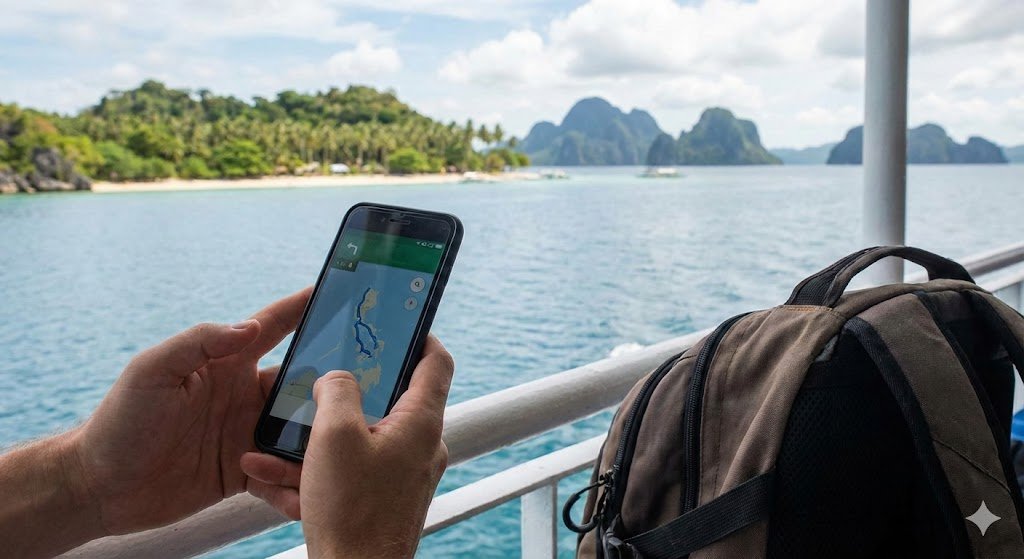
- Download Offline Maps: Even with an eSIM, coverage drops in transit between islands (e.g., on the ferry from Cebu to Bohol). Download Google Maps for your destination area offline before you leave your hotel.
- The “3G” Reality: In remote areas (Port Barton, Siquijor), your phone may show “LTE” or “5G” but data will not load. This is network congestion. Sometimes, switching your phone manually to “3G” in settings actually provides a slower but more stable connection for messaging.
- Power Banks: Searching for signal drains battery fast. Always carry a power bank, especially on island-hopping tours where electricity might not be available during the day.
- ** GCash is King:** The Philippines runs on an e-wallet app called GCash. While difficult for tourists to fully verify without an Alien Certificate of Registration, you can sometimes use it with international numbers now, or rely on cash. However, having data is essential to check conversion rates or use credit cards where accepted.
Conclusion
Deciding whether to use an eSIM, a virtual phone number, or both depends on your travel style. For the casual tourist visiting Manila and Boracay for a week, a simple data eSIM from Airalo or Nomad is likely sufficient. However, for the “lakbaypinas” reader planning a multi-week adventure involving ferries, tricycles, and varied accommodation, the combination of a robust data eSIM and a virtual phone number is the gold standard.
This digital-first approach removes the friction of physical registration, protects your privacy, and ensures that whether you are posting a sunset photo from Palawan or coordinating a pickup in Manila, you remain connected, safe, and in control.
Frequently Asked Questions (FAQ)
- Do I need to register my eSIM under the Philippine SIM Registration Act? It depends on the type of eSIM you choose.
- Roaming eSIMs (e.g., Airalo, Nomad, eSIM Plus): generally do not require registration. These services operate on a roaming basis, meaning the local network views you as a foreign visitor. This is a major convenience as it saves you from submitting your passport and personal details to the government database.
- Local Network eSIMs (Globe or Smart purchased directly): Yes. If you buy a “tourist SIM” or a local prepaid eSIM directly from a Philippine carrier, you are legally required to register it using your passport and proof of accommodation before the line will activate.
- Can I keep my home number active while using an eSIM in the Philippines? Yes. This is one of the main benefits of eSIM technology. You can keep your physical SIM card (from your home country) inside your phone to receive emergency calls or Two-Factor Authentication (2FA) codes from your bank. You simply configure your phone settings to use the eSIM for mobile data and your home SIM for voice/SMS. Note: Ensure “Data Roaming” is turned OFF for your home SIM to avoid expensive roaming charges.
- When should I install my eSIM? It is highly recommended to install your eSIM before you fly, while you have a stable Wi-Fi connection at home. You can follow the setup steps up until the point of activation. Once you land in the Philippines, simply turn the eSIM line “ON” in your settings and enable “Data Roaming” for that specific line to start connecting.
- Will my eSIM work on all islands in the Philippines? Coverage depends on the local network your eSIM provider partners with (usually Globe or Smart).
- Major Areas: In Manila, Cebu, Boracay, and Davao, coverage is generally excellent (4G/5G).
- Remote Areas: In places like El Nido, Siargao, or smaller provinces, signal can be spotty. An eSIM that allows you to switch between networks (like some Airalo plans) offers the best chance of finding a signal.
- Boat Travel: Expect to lose signal completely when traveling by ferry between islands.
- Can I make regular phone calls with a travel eSIM? Most travel eSIMs are data-only, meaning they do not come with a local mobile number for standard voice calls. You cannot dial a landline or mobile number directly using the native phone app.
- The Solution: You can use data-based apps (WhatsApp, FaceTime, Messenger) for calls. Alternatively, purchasing a Virtual Phone Number (via apps like eSIM Plus or Skype) allows you to make and receive standard calls over the internet.
- Can I share my internet connection (Hotspot/Tethering)? Most providers (Airalo, Nomad, Ubigi, eSIM Plus) allow tethering, meaning you can use your phone as a hotspot for your laptop or travel companion. However, some “Unlimited Data” plans (like Holafly) often restrict or completely block hotspot usage. Always check the specific plan details if you need to share your connection.